Keys of Fury Review

“Channel your inner Typist”
Introduction
A few months ago I got the pleasure to play a typing game that infused old NES graphics with typing action in the form of Keys of Fury. If you want to read that review—because you love us here at SunsetNerdVerse—then you can read it here. That aside, Keys of Fury appeals to me on several levels. The first, it’s a typing game and I’m a sucker for any game that uses typing as the main component. Then the second, it reminds me of old-school games like Kung-Fu Master or Double Dragon. That’s why I was so happy that developer—and publisher—Elecorn gave us the opportunity to review the entire game, which is what we’re about to do now. Here’s my full review of Keys of Fury for the PC!
Gameplay

No combos, no button-mashing, and no controller. Keys of Fury tests your typing skills to become a legendary warrior. That’s the gist of the game, and I personally love it. The menus are navigated by just using your trusty keyboard. Now obviously there’s still more to talk about, so let’s break down all the modes in Keys of Fury!
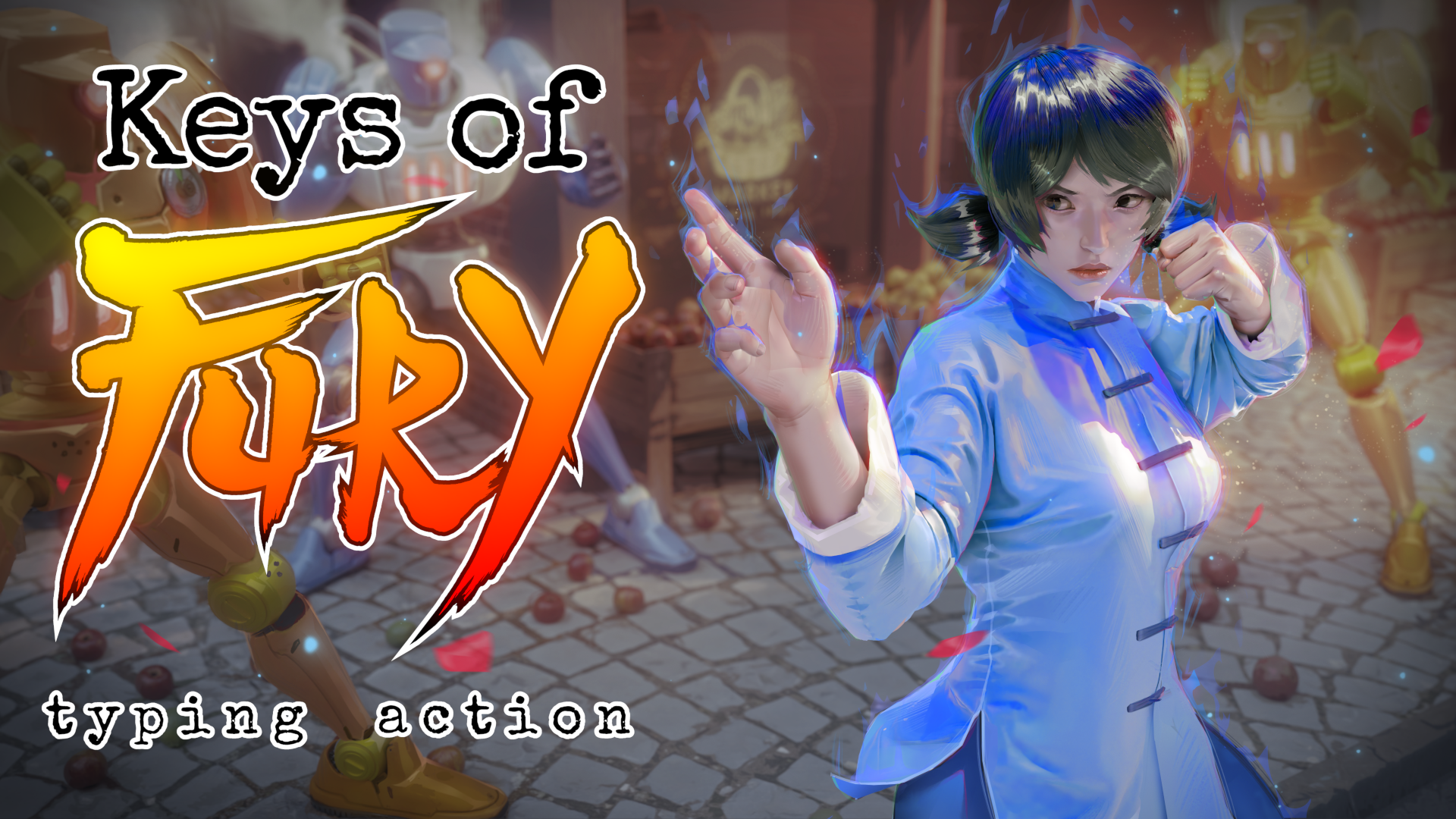
There are several game modes to play in Keys of Fury. First though, we should talk about the story mode. Here you follow Tai Ping—get it—on her journey, which leads her to fighting everything from robots to ninja. The story itself is quite silly but we can talk about that in a moment. What makes Keys of Fury so fun is the typing isn’t just random words flashing on the screen but how they do so. Take for example those ninja I mentioned before. When fighting them, the words that need to be typed will fade in and out. Other times you might need to hit a slew of single-letter inputs to avoid taking hits from projectiles. Keys of Fury keeps the gameplay consistently evolving despite relying on just typing.
There’s also the fury bar. After a slew of successful words being typed, Tai Ping will build up a fury bar. This can save you quite often when you miss a letter and fury activates. Tai will do the typing herself, and when there’s a slew of enemies on screen, this can be a godsend. Unfortunately, when it might just be a singular enemy, fury can be wasted here and that is a bit annoying.
As you do well in Keys of Fury, you will be able to visit the shop. Here you can purchase upgrades for Tai Ping—like the ability to recover partial health upon successful words typed—or outfits. They aren’t that important and I feel the skills aren’t going to make the game any easier or harder without them, but I did like that there’s a reason to do well and play more Keys of Fury.
When you do get bored of the story, there is the arcade mode with a slew of mini-games. These games are still typing-focused but are silly and fun. There’s a racing typing game where you are running against dinosaurs and another has you fighting against fruit vendors who throw literal fruit at you. These mini-games are quick and only meant to challenge your own scores, but I had fun with them longer than I anticipated I would.
It is also important to mention that there seems to be more content underway for Keys of Fury. The story mode has some segments saying “coming soon,” so I believe they will be added later. I’m game for the extra chapters, as Keys of Fury can be beaten quite quickly.
The only few gameplay issues I had weren’t deal breakers but need to be discussed. I noticed that occasionally lag will occur and when it does, it can ruin a typing line quite quickly. There were also times where some letters weren’t too clear due to the placing of the lines or spacing. Again, never a big deal, but I did find these moments a bit frustrating.
Graphics

With a retro-themed game like Keys of Fury, you know what to expect visually. Similar to that 8-bit NES style, Keys of Fury is perfect for those who miss the older gaming era long forgotten. Obviously there are some visual flairs you wouldn’t see in those older games, like when your character goes into Fury or some of the backgrounds. You might not see Keys of Fury pushing your nice graphics card to the limits, but for that nostalgia feeling, this game will return you to simpler times.
Sound
The music, like the game, is a mix between chiptune and retro. I did wish there was a way to turn down the volume a bit… it can be overbearingly loud, but I won’t say it’s a big deal. Don’t expect anything spectacular from Keys of Fury in terms of music. Most of the time you will hear typing sounds that fuse with karate-like sound effects and typewriter sound effects. For what it is, I don’t have issues with that, as again, Keys of Fury is aiming for retro in almost every facet of the game.
Story

I won’t deny I found the story in Keys of Fury to harken back to the 80s martial arts movies. Tai Ping is on a journey for “reasons” and all that really matters is nothing is standing in her way! I really don’t feel the need to discuss the story much here for the review—not because it’s bad, but because it’s very simple and not important. Still, the story does just enough to keep you wanting to push on.
Overall Impression
Keys of Fury is the harmony between a typing game and a retro title, which I don’t think will appeal to a wide audience. Sure, retro fans will love the aesthetics in Keys of Fury, but the typing element might not be to their appeal. Likewise, typing gamers—as few of them exist—may not love the overly simplified visuals. I think Keys of Fury is a very niche indie game and while I liked it a lot… I’m not sure how well people will take to it.
Pros
- Typing gameplay is speedy, making it feel like a martial arts film.
- Visuals echo the older days of games and capture their charm perfectly.
- Several game modes give you plenty of extra content to play.
Cons
- Typing games are still a niche venture.
- Some minor issues like lag and how words are presented on screen can be a bit annoying.
- Music is way too loud and a setting is needed to lower it a bit.
Overall Score
8.0
Conclusion

I find myself wondering how to review Keys of Fury. On one hand I’d easily say I love this game as a typist and a fan of older games. However, that’s me, and for the general audience, Keys of Fury might not be super appealing. The retro visuals are infused with newer elements, but it still looks like an NES game at best. The typing gameplay too is aimed, I feel, at specific gamers. Personally, I’d recommend Keys of Fury to those who love NES games and typing titles, but for many, fusing those two words together doesn’t scream “I must buy now.” Still though, for what it delivers, Keys of Fury is quite enjoyable and I won’t deny I think it needs to be given some love.
—Aaron